



Declaration regarding acceptance of gift membership
Declaration regarding acceptance of gift membership
To accept your gift membership, you must log in to your customer account in the online shop. If you do not yet have a customer account, you first need to register in the online shop in order to redeem your gift membership in your customer account.
*Note: Please note that the voucher code must be redeemed by the future member themself (and not by the giver) so that the membership can be assigned correctly.
By clicking the red highlighted icon in the shop, you will be taken to the login or registration page:

After successful login or registration, you can open your customer account area via the same icon.
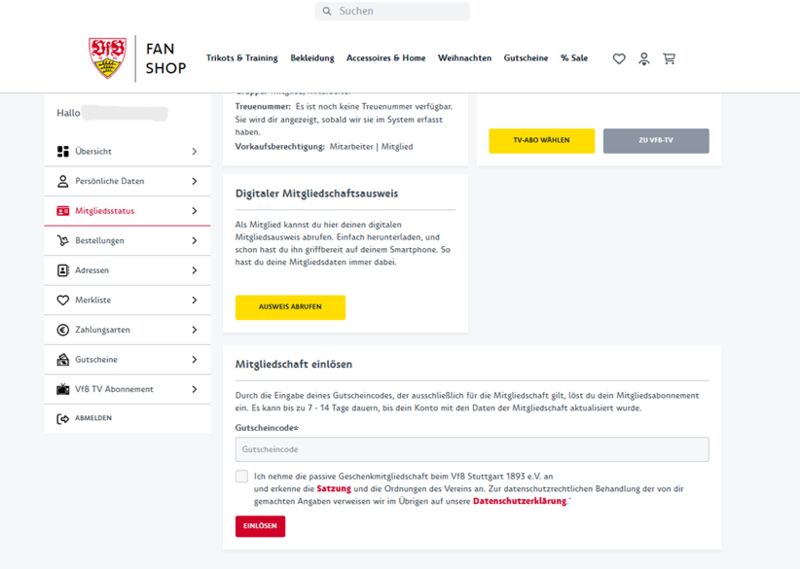
Under the tab “Membership status”, you will find the field “Redeem membership”. Here you can enter your individual code from the email. After entering the code, checking the checkbox, and clicking “Redeem”, you have successfully activated your gift membership and officially become part of the dark-red VfB family.