



Season tickets on the red stripe:
Season tickets on the red stripe:
The “My Tickets” page has been redesigned and will offer you a clearer layout starting November 10, 2025. By default, the next upcoming event will always be displayed. You can select a different event using the drop-down menu at the top of the page.
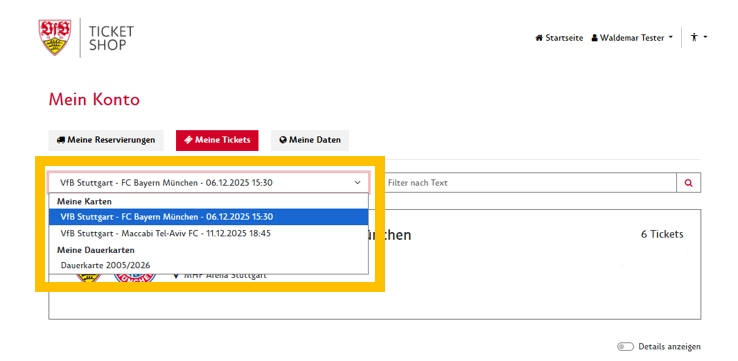
In the individual games, you will find both your day ticket(s) and your season ticket(s).
Here you can carry out all available ticket actions for both ticket types.
Under “Season ticket 2025/2026,” you only have the option of downloading your mobile season ticket (via smartphone only).
Please note: If you are logged into your customer account via the VfB app, there may be restrictions. For example, it is not possible to download wallet tickets in the app.
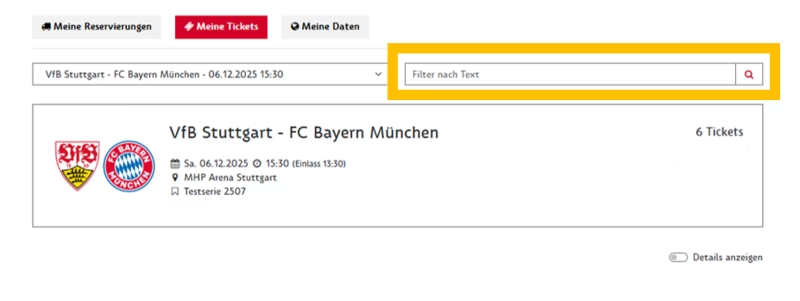
You can use the text filter to search for specific tickets.
You can filter by the following criteria:
Block, row, seat, price category, discount, and name (public transport personalization).
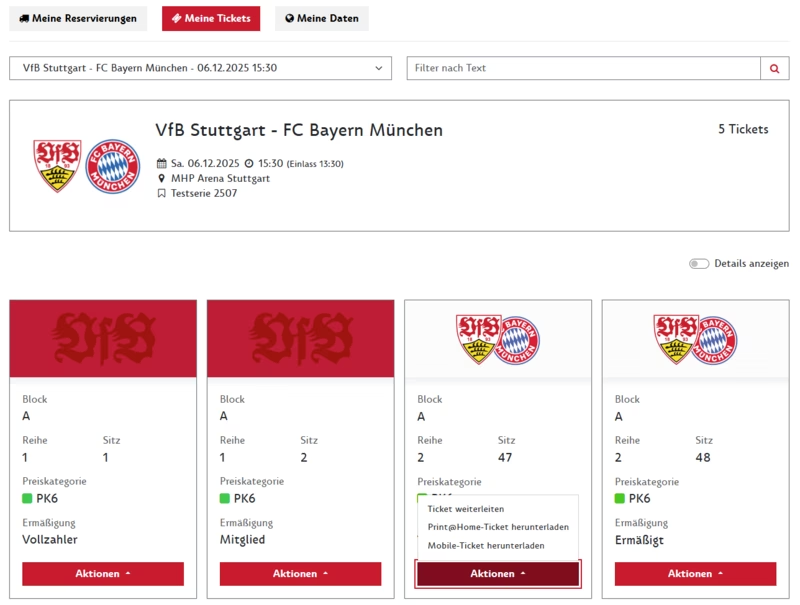
If you have fewer than 10 tickets per event in your customer account, you will see the new ticket view.
All tickets are listed individually:
Day tickets can be identified by the white stripe:


If you have fewer than 10 tickets per event in your customer account, the new ticket view will be displayed.
You can select the available ticket actions directly on the respective ticket.
After clicking on an action, you will see all tickets that are also available for this function.
You can then select all tickets or individual tickets.
Please note: There are usually more actions available for day tickets than for season tickets.
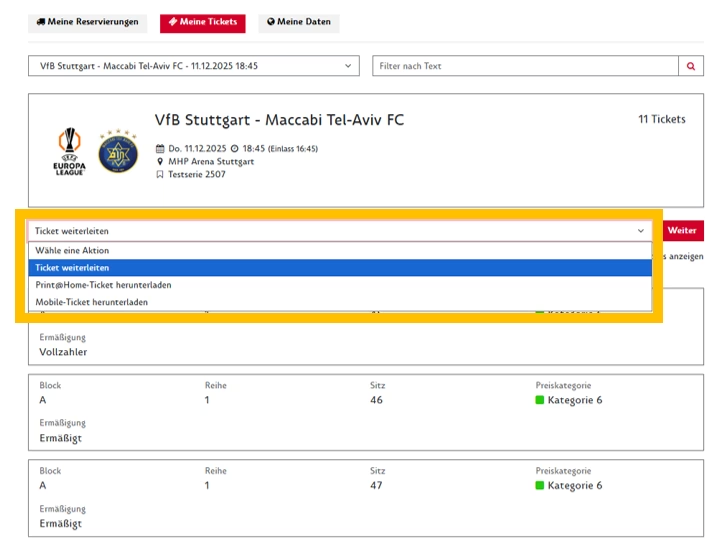
If you have more than 10 tickets per event in your customer account, you will see the familiar list view.
Below the event information, you can select the desired ticket action. You will then see all tickets available for this action.
You can then select all tickets or individual tickets for the selected function.
As before, the “Ticket actions” section allows you to
Download mobile ticket:
Click on the “Download mobile ticket” button to add the selected ticket to your wallet.
Can only be used on your smartphone.
Download all tickets:
Click on the “Download all tickets” button to add all selected tickets to your wallet.
Can only be used on your smartphone.
Download ZIP:
Clicking the “Download ZIP” button saves all selected tickets as individual PKPASS files in a ZIP folder.
(Recommended for sending mobile tickets via computer.)
For season tickets, the “Download mobile ticket” function always adds the mobile season ticket to your wallet. If you want to pass on your mobile season ticket for a game to another person, please use the “Forward ticket” function.
The “Download Print@Home ticket” function is not available for season tickets. If you want to transfer your mobile season ticket for a game to another person, please use the “Forward ticket” function. The recipient can then download the forwarded day ticket as a Print@Home ticket or mobile ticket.
The “Download Print@Home ticket” button displays the individually selected ticket as a Print@Home ticket.
The “Download PDF” button displays all selected tickets in a PDF file.
The “Download Zip” button saves all selected tickets as individual PDF files in a ZIP folder.
This function allows you to forward the selected tickets to another person.
To do so, enter the recipient's details. Please note that the recipient must also have a customer account with VfB Stuttgart using the email address provided.
Cancel ticket forwarding:
Once you have initiated the forwarding process, your ticket for the game will be blocked.
As long as the recipient has not yet accepted the ticket forwarding, you can cancel it using the “Cancel ticket forwarding” function and use your ticket yourself again.
Once accepted, your ticket for the game will remain permanently blocked.
This feature allows you to offer your selected tickets for an event on the ticket exchange. To do so, you must provide account details to which the proceeds from the sale will be credited.
As soon as you offer your ticket for sale, it will be blocked for the game.
After the successful sale, you will receive a confirmation email.
Season tickets can be listed on the ticket exchange two weeks before the event, and day tickets (if the home section is sold out) one week before the event.
Cancel resale:
As long as your ticket has not been sold, you can withdraw it from the ticket exchange using the “Cancel resale” function and use it yourself again.